
Partner Icon
Become a Refrens PartnerLearn More

Proforma Invoice Templates for FREE (Word, Excel, PDF)

Create proforma invoice using Word, Excel, and PDF templates.

Download, email, print, and share customized proforma invoices.

Our Users Rate Refrens ⭐ 4.8/5 based on 11700+ Ratings

Download Free Proforma Invoice Templates in Word and Excel

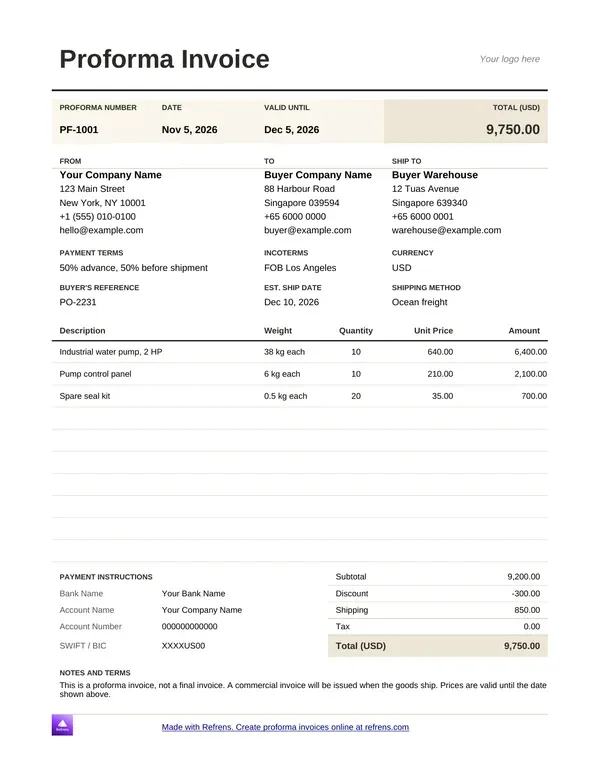
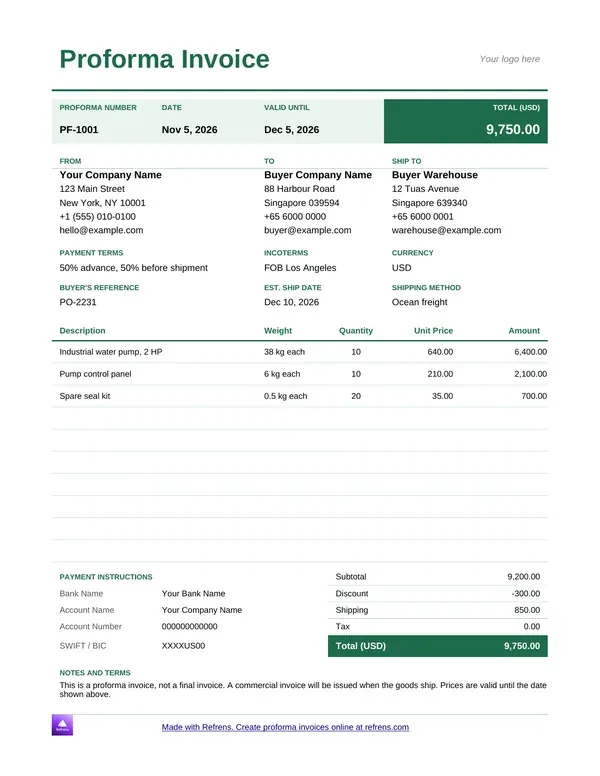
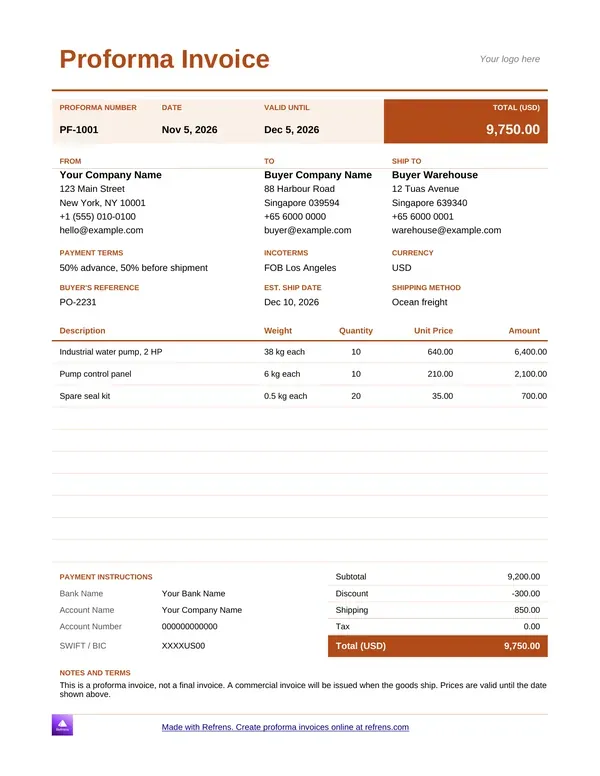
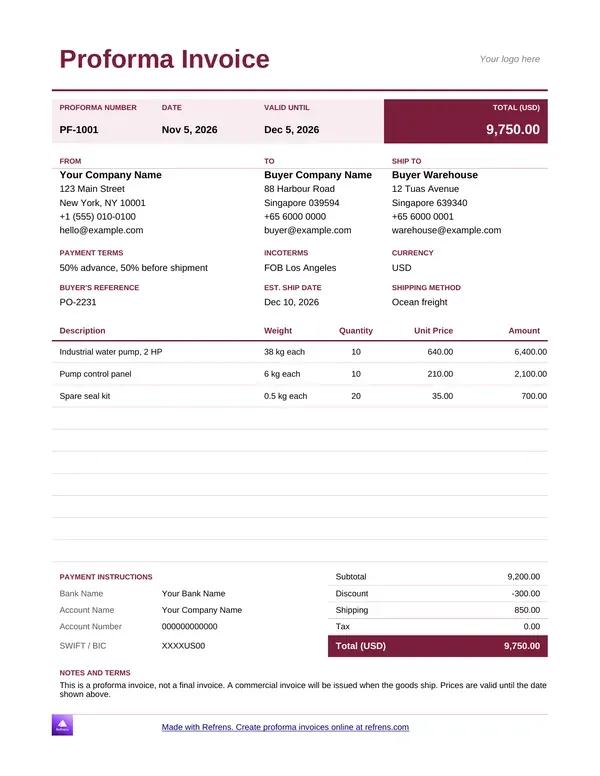
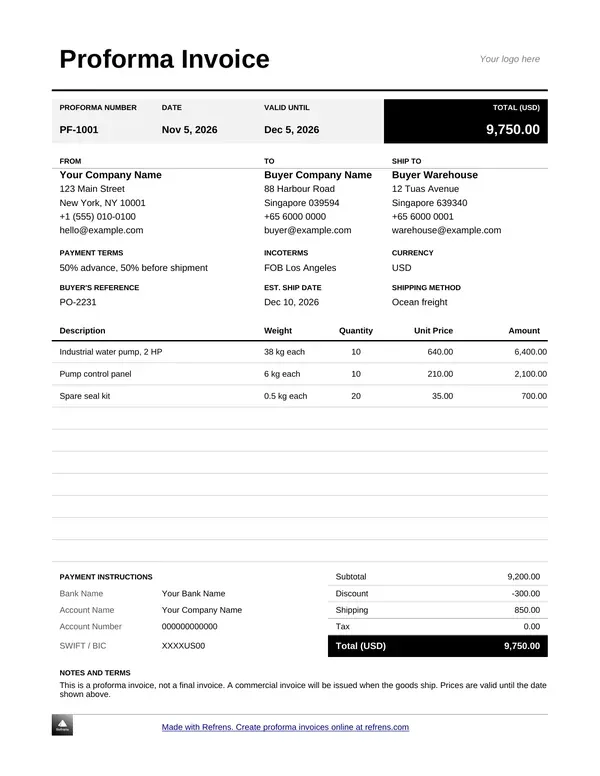
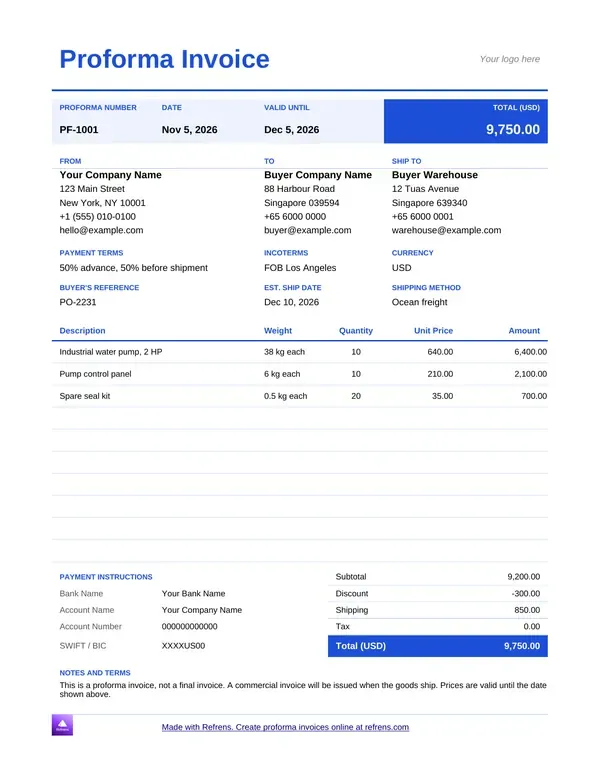
Pick a colour, preview the template, and download it as an editable Word (.docx) or Excel (.xlsx) file.

Downloadable proforma invoice template in PDF (add your details)

1
Add Invoice Details
2
Design & Share (optional)
1
Add Invoice Details
2
Design & Share (optional)

Proforma invoice templates in Word

Download and customize your proforma invoice in Word and Google Docs for free
Proforma Invoice Template
Proforma Invoice Format
Create Proforma Invoice
Create Proforma Invoice Online
Proforma Invoice Generator
Sample Proforma Invoice
Online Proforma Invoice Maker

Proforma invoice templates in Excel

Download and customize your proforma invoice in Excel and Google Sheets for free
Proforma Invoice Template
Create Proforma Invoice Online
Sample Proforma Invoice
Online Proforma Invoice Maker
Proforma Invoice Generator
Proforma Invoice Format
Free Online Proforma Invoice Template

What is a proforma invoice?

A proforma invoice is a preliminary invoice. You send it before you deliver goods or start work. It lists what you will supply, the price and the terms. Some people write it as "pro forma invoice". The meaning is the same.

Here is a plain example. A supplier agrees to sell 100 chairs. Before shipping, she sends a proforma invoice for the full price. The buyer's finance team reads it, approves the spend and pays a deposit. After delivery, the supplier issues the tax invoice for the real sale.

A proforma invoice is a preliminary invoice that states the price, scope and terms of a sale before delivery, and it does not replace the final tax invoice.

Sellers and buyers use it for four jobs:

  • Agree the order. Both sides see the same products, quantities and price before anything ships.
  • Ask for an advance deposit. The buyer pays part of the price first.
  • Clear internal approval. The buyer's team needs a priced document to approve the spend.
  • Plan delivery. The document states what you will deliver, when and how.

It is not a contract. It records the price, scope and delivery plan both sides expect. A binding agreement is a separate document. Legal effect depends on local rules, so check yours.

Proforma invoice vs invoice: what changes?

Both documents look alike. They do different jobs.

  • Purpose. Proforma invoice: Confirms the planned sale and price. Tax invoice: Bills the completed sale.
  • When you send it. Proforma invoice: Before delivery or before work starts. Tax invoice: After delivery or after the work.
  • What it asks for. Proforma invoice: An approval, or an advance deposit. Tax invoice: Payment of the final amount.
  • Role in your books. Proforma invoice: A preview. Ask your accountant how to record it. Tax invoice: The record of the sale.
  • Can it change?. Proforma invoice: Yes, until the buyer approves. Tax invoice: Only through a correction document.

General guidance. Tax rules differ by country, so check your local rules.

In most places a proforma invoice does not replace a tax invoice. Issue the proforma first, then issue the tax invoice when the sale completes. On cross-border shipments, the final document is often a commercial invoice.

Proforma invoice template: Word, Excel or the online generator?

Refrens gives you downloadable templates and an online generator. Pick by how you work.

  • Proforma invoice template Word. What you get: An editable Word file. Account: None. Limit: Unlimited downloads.
  • Proforma invoice template Excel. What you get: An editable Excel file. Account: None. Limit: Unlimited downloads.
  • Proforma invoice template Google Docs. What you get: An editable Google Docs file. Account: None. Limit: Unlimited downloads.
  • Proforma invoice template Google Sheets. What you get: An editable Google Sheets file. Account: None. Limit: Unlimited downloads.
  • Online proforma invoice generator
  • What you get: A PDF proforma invoice
  • Account: Free account
  • Limit: 15 documents a year across all document types

Use Word for a proforma invoice with notes and terms. Use Excel for a long list of items. Use Google Docs or Google Sheets to edit online and share the file with your team. Use the online generator when you want a finished PDF without formatting anything yourself.

Unlimited downloads of the Word, Excel, Google Docs and Google Sheets templates need no signup. The files carry a small Refrens branding at the bottom of the page, and you can remove it. The online generator needs a free account. If 15 documents are not enough to judge the product, a Refrens sales person or account manager can extend your trial, so you can decide before you upgrade.

How to create a proforma invoice

In Word, Excel, Google Docs or Google Sheets

  1. Download a template. Pick a Word, Excel, Google Docs or Google Sheets proforma invoice template in the gallery above. The file downloads at once.
  2. Add your details. Enter your business name, address and contact details. Add your client's details.
  3. Add items. List each product or service with quantity, rate and amount.
  4. Add the deposit and terms. State the advance you want and the delivery plan.
  5. Check, then send. Read the totals once. Save the file and send it.

With the online proforma invoice generator

  1. Fill in the form above. Add the proforma invoice number, the date and the due date.
  2. Add both parties. Enter your details and your client's details. Upload your logo.
  3. Add items. The generator calculates each amount and the total. Add a discount, a charge or tax where they apply.
  4. Add terms and notes. State the deposit and the delivery plan.
  5. Pick a design and download. Choose a template, download the PDF with a free account, or share it by email.
  6. Check. Read the label on top. It must say "Proforma Invoice", so no one mistakes it for a tax invoice.

Proforma invoice format: what each field does

A proforma invoice format is the set of fields the document carries. The fields below keep the document clear for both sides.

  • Title. What it settles: Shows what the document is. What to enter: "Proforma Invoice". Status: Good practice.
  • Proforma invoice number. What it settles: Lets both sides point to one document. What to enter: A unique number in its own series. Status: Good practice.
  • Date. What it settles: Starts the clock. What to enter: The day you issue it. Status: Good practice.
  • Validity or due date. What it settles: Ends the offer, or sets the deposit date. What to enter: The last day the terms stand. Status: Good practice.
  • Your details. What it settles: Identifies the seller. What to enter: Business name, address, contact. Status: Good practice.
  • Client details. What it settles: Identifies the buyer. What to enter: Name and billing address. Status: Good practice.
  • Items. What it settles: Defines what you will supply. What to enter: Name, quantity, rate, amount, short description. Status: Good practice.
  • Discounts and charges. What it settles: Explains how the price moves. What to enter: A labeled percentage or amount. Status: Good practice.
  • Tax. What it settles: Shows tax on the price. What to enter: The tax label and rate. Status: Local rules decide.
  • Total and advance. What it settles: Fixes the amount and the deposit. What to enter: The total, the deposit and the balance. Status: Good practice.
  • Delivery terms. What it settles: Sets when and how you deliver. What to enter: Date, method and place. Status: Good practice.
  • Notes and terms. What it settles: Records assumptions and conditions. What to enter: Anything the buyer must know. Status: Good practice.
  • Signature. What it settles: Shows the seller stands behind it. What to enter: Sign on screen or add an image. Status: Good practice.

This page gives general guidance. It is not legal or tax advice.

Extra fields for shipments

Goods that cross a border, or ship from a warehouse, need a few more fields. The Refrens proforma invoice template preview includes them.

  • Ship to. What it settles: Where the goods go. What to enter: The buyer's warehouse or site address.
  • Buyer's reference. What it settles: Links your document to the buyer's order. What to enter: The buyer's purchase order number.
  • Incoterms
  • What it settles: Who pays for each shipping step and who takes the risk
  • What to enter: The agreed term and place, such as FOB Los Angeles
  • Estimated ship date. What it settles: Sets the delivery plan. What to enter: The date you expect to ship.
  • Shipping method. What it settles: States how the goods travel. What to enter: Ocean freight, air freight or road.
  • Weight. What it settles: Helps the buyer plan freight. What to enter: Weight per unit on each line.
  • Payment instructions
  • What it settles: Tells the buyer where to pay the deposit
  • What to enter: Bank name, account name, account number and SWIFT or BIC code
  • Currency. What it settles: Fixes the money of the deal. What to enter: One currency for the whole document.

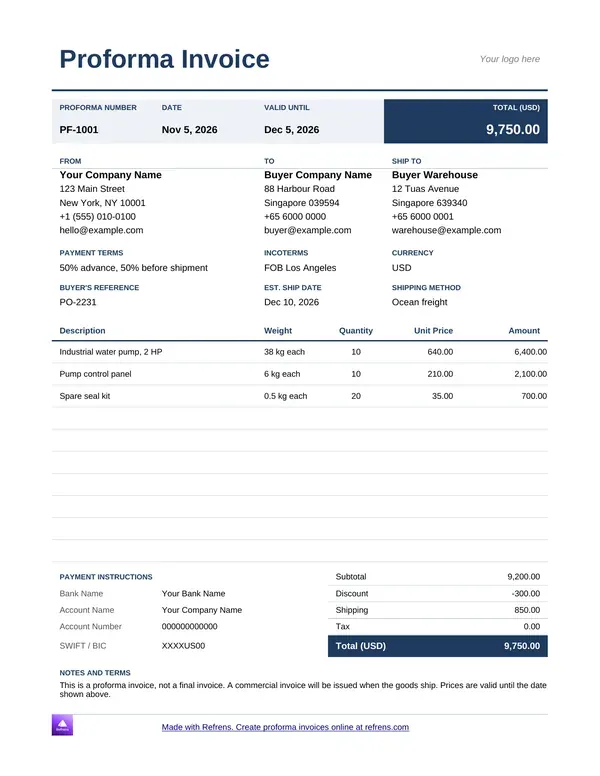
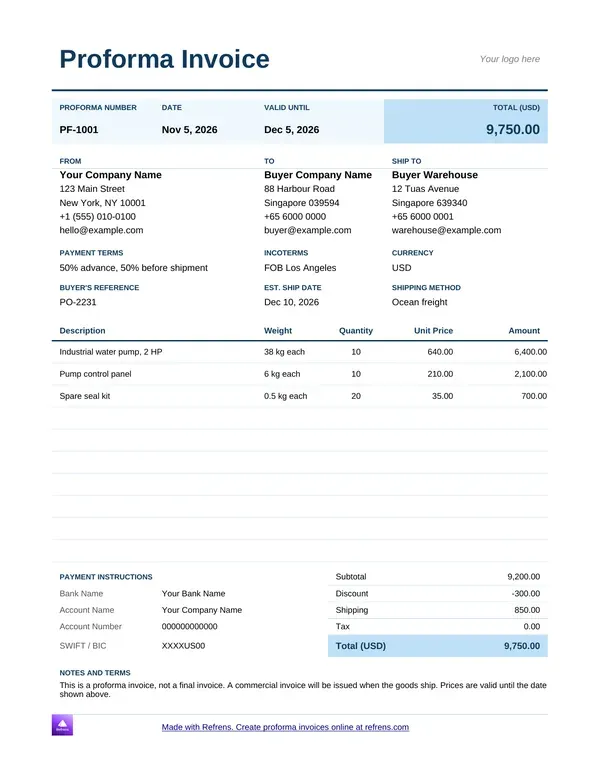
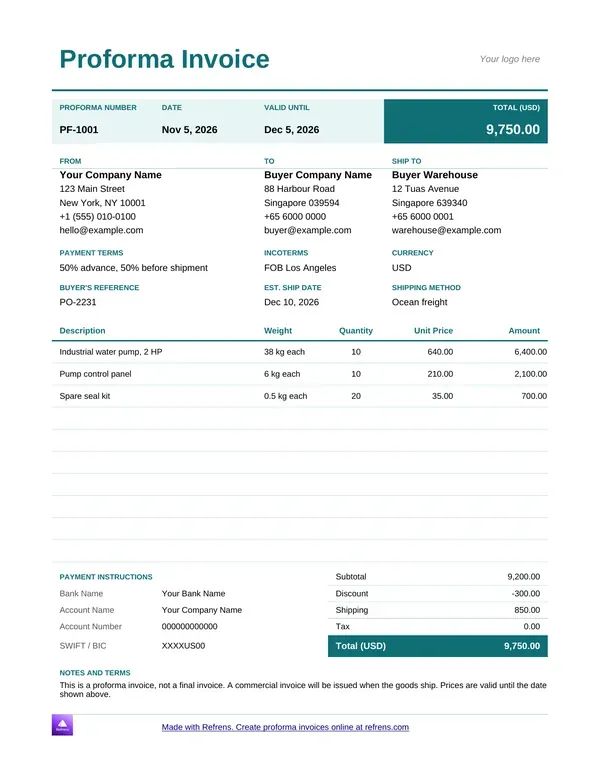
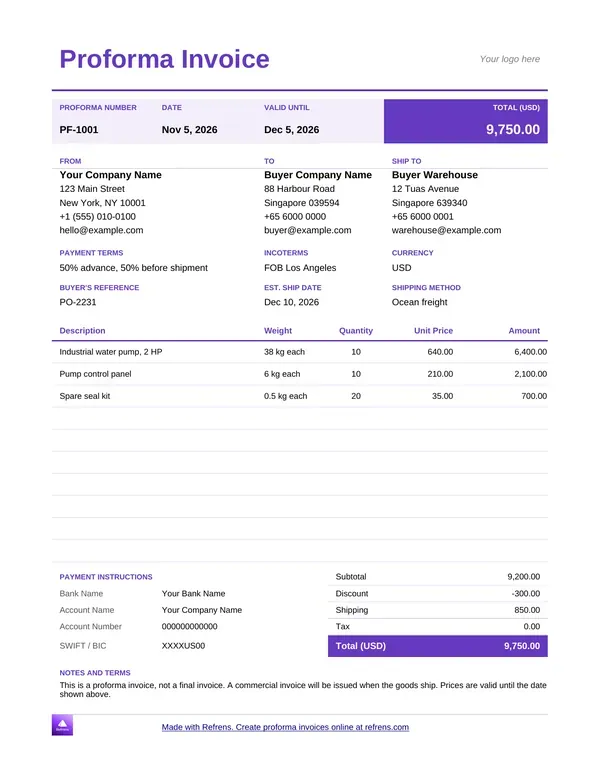
What the Refrens proforma invoice template looks like

Open a Refrens proforma invoice template and you see these blocks, top to bottom:

  • A top bar with the proforma number, the date, the valid-until date and the total.
  • From, To and Ship To blocks with address, phone and email.
  • Rows for payment terms, incoterms, currency, buyer's reference, estimated ship date and shipping method.
  • An items table with description, weight, quantity, unit price and amount.
  • A payment instructions block with bank details.
  • A totals block with subtotal, discount, shipping, tax and total.
  • Notes and terms, such as a line saying this is a proforma invoice and the final invoice follows when the goods ship.
  • A footer line with Refrens branding, which you can remove.

Who sends a proforma invoice, and why

Business owners who want an advance

A business owner sends a proforma invoice to secure a deposit. A distributor, trader or wholesaler states the goods and the price, then asks for part of it up front. The buyer sees exactly what the deposit covers.

Procurement teams who need internal approval

A buyer's procurement team often needs a priced document before it can raise an order. The proforma invoice gives the finance team the numbers to approve. Everyone inside the buyer's company works from the same figures.

Service and software companies that bill by milestone

A software company or agency splits a project into stages. It sends a proforma invoice for each stage, so the client approves the budget and pays a deposit before the team starts. Each stage then ends with a tax invoice.

Proforma invoice sample: two worked examples

Illustrative examples. We invented the businesses, the rates and the tax rates.

A software milestone

A software company sends a proforma invoice for the build stage of a mobile app. The client pays 50% before work starts.

  • Backend development: Quantity 80 hours, Rate (USD) 45.00, Amount (USD) 3,600.00

  • App screens: Quantity 40 hours, Rate (USD) 45.00, Amount (USD) 1,800.00

  • Test setup: Quantity 1, Rate (USD) 600.00, Amount (USD) 600.00

  • Subtotal: 3,600.00 + 1,800.00 + 600.00 = 6,000.00 USD

  • Tax at 8%: 6,000.00 × 0.08 = 480.00 USD

  • Total: 6,000.00 + 480.00 = 6,480.00 USD

  • Advance at 50%: 6,480.00 × 0.50 = 3,240.00 USD

  • Balance after the advance: 6,480.00 − 3,240.00 = 3,240.00 USD

In this illustrative example, a proforma invoice for a 6,000.00 USD build stage comes to 6,480.00 USD with 8% tax, and the client pays 3,240.00 USD before work starts.

An advance deposit on goods

A distributor sends a proforma invoice for furniture. The buyer's procurement team approves it and pays 30% to start the order.

  • Chairs: 20 × 85.00 = 1,700.00 USD
  • Desks: 10 × 140.00 = 1,400.00 USD
  • Subtotal: 1,700.00 + 1,400.00 = 3,100.00 USD
  • Delivery: 100.00 USD, so 3,200.00 USD
  • Tax at 5%: 3,200.00 × 0.05 = 160.00 USD
  • Total: 3,200.00 + 160.00 = 3,360.00 USD
  • Advance at 30%: 3,360.00 × 0.30 = 1,008.00 USD
  • Balance: 3,360.00 − 1,008.00 = 2,352.00 USD

When the goods ship, the distributor issues a tax invoice for 3,360.00 USD and shows the 1,008.00 USD already received.

Mistakes that cause confusion

  • No "Proforma Invoice" label. The buyer mistakes it for a final bill and pays twice or files it as a sale. Put the title at the top.
  • A number from the tax invoice series. Two documents share one number. Keep a separate series for proforma invoices.
  • No validity date. The buyer accepts a price you can no longer offer. Always enter a date.
  • An unclear deposit. "Part payment" starts an argument. State the percentage, the amount and the due date.
  • A vague scope. "Goods and services" leaves both sides guessing. List each item with a quantity.
  • Figures that change at the final invoice. The buyer's team approved the proforma figures. Match them, or explain every difference.

What a template does not do

A template file in Word, Excel, Google Docs or Google Sheets helps you make one proforma invoice. It has limits:

  • It does not number your documents. You keep the series.
  • It does not track versions or tell you when the client opens it.
  • It does not turn into a tax invoice. You rebuild the document.
  • It does not check local tax rules. Confirm the required fields for your country.

The online generator builds a PDF from a form. It handles one document at a time, too. Your Refrens account handles the rest.

From proforma invoice to tax invoice

The friction shows in the examples above. The software company types the milestone twice, once on the proforma invoice and once on the tax invoice. The distributor retypes every line when the goods ship.

In your Refrens account, you can convert a proforma invoice into a tax invoice and keep both on record. Use invoicing software with proforma to invoice conversion when you send proforma invoices every week. Send a quote first? Use quotation software with proforma conversion to carry the quote forward into a proforma invoice.

A Refrens account also records the deposit against the invoice, lets you email the document and see when the client opens it, and keeps the quote, proforma invoice and tax invoice linked. Some features sit on paid plans.

Use a template when you send a few proforma invoices a month. Move to the software when you retype the same client details every time.

Which document do you need?

Match the document to the question your client is asking.

A quotation offers a price. A proforma invoice confirms the sale. A tax invoice bills it.

Create your proforma invoice

Scroll up and download a proforma invoice template in Word, Excel, Google Docs or Google Sheets, or fill in the form to create a proforma invoice online as a PDF. More than 150K businesses across 170+ countries send quotations and invoices with Refrens.

Frequently asked questions

What is a proforma invoice?

A proforma invoice is a preliminary invoice that states the price, scope and terms of a sale before delivery. You send it to agree the order, ask for an advance deposit or help the buyer get internal approval. It does not replace the final tax invoice.

What is the difference between a proforma invoice and an invoice?

A proforma invoice comes before delivery and confirms the planned sale. A tax invoice comes after delivery and bills the completed sale. The proforma invoice can change until the buyer approves it. Tax rules differ by country, so check your local rules.

Is a proforma invoice a contract or a legal document?

No. A proforma invoice records the price, scope and delivery plan both sides expect, but it is not a contract by itself. A binding agreement is a separate document. Legal effect depends on local rules, so check yours.

Can I turn a proforma invoice into a tax invoice?

Yes. In your Refrens account, you can convert a proforma invoice into a tax invoice and keep both on record. The tax invoice then bills the completed sale and shows any deposit you already received.

Is the proforma invoice template free in Word and Excel?

Yes. You can download Word and Excel proforma invoice templates free, with no signup, and you can download as many as you like. The files carry a small Refrens branding at the bottom of the page, and you can remove it.

Can I get a proforma invoice template in Google Docs or Google Sheets?

Yes. The gallery on this page includes Google Docs and Google Sheets proforma invoice templates next to the Word and Excel files. Download one, then edit it online and share it with your team. No signup is needed.

How do I create a proforma invoice PDF online?

Fill in the form on this page, then download the PDF with a free account. The free plan covers 15 documents a year across all document types. If you need more time to judge the product, a Refrens sales person or account manager can extend your trial.

When should I send a proforma invoice?

Send a proforma invoice before delivery when you want an advance deposit, when the buyer needs internal approval or when you bill a project in milestones. Send the tax invoice once the sale completes.

About Refrens. Refrens is invoicing and quotation software for small businesses, freelancers and service businesses. Create invoices, send quotations and collect payments in one place.


Made with and in Bengaluru.

Refrens Internet Pvt. Ltd. | All Rights Reserved
This site is protected by reCAPTCHA and the Google Privacy Policy and Terms of Service apply.
Refrens ISO Certificate
