
Partner Icon
Become a Refrens PartnerLearn More

Free Quotation Templates in Word and Excel

Download quotation templates in Word, Excel, or PDF. Edit the Word doc and use them for business quotations anytime.

Download Free Quotation Templates in Word and Excel

Pick the quotation template that fits your business, preview it, and download it as an editable Word (.docx) or Excel (.xlsx) file.

Quotation Template in PDF (Add quote details and download it in PDF format.)

1
Quotation Details
2
Design & Share (optional)
1
Quotation Details
2
Design & Share (optional)

Quotation Templates Word

Download Quotation Templates in Word Format
Create Free Quotation Online
Sample Quote Template - Word
Sample Quote Template Word
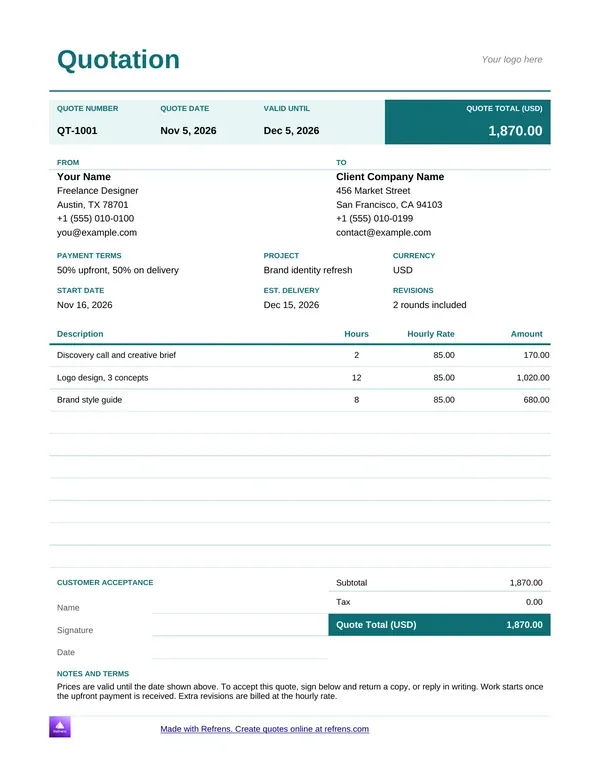
Freelance Quote Template - Word
Freelance Quote Template Word
Sales Quote Template - Word
Sales Quote Template Word
Service Quotation Template - Word
Service Quotation Template Word
Price Quote Template - Word
Price Quote Template Word
Business Quote Template - Word
Business Quote Template Word
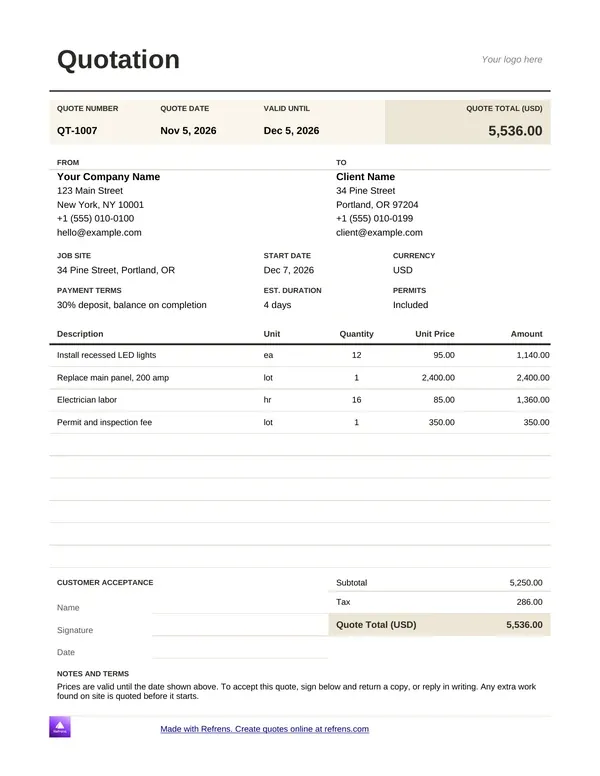
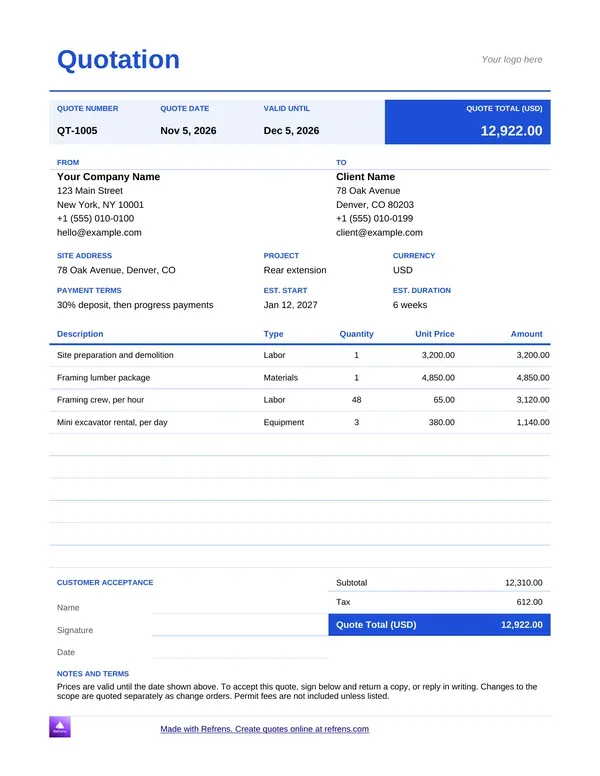
Construction Quote Template - Word
Construction Quote Template Word
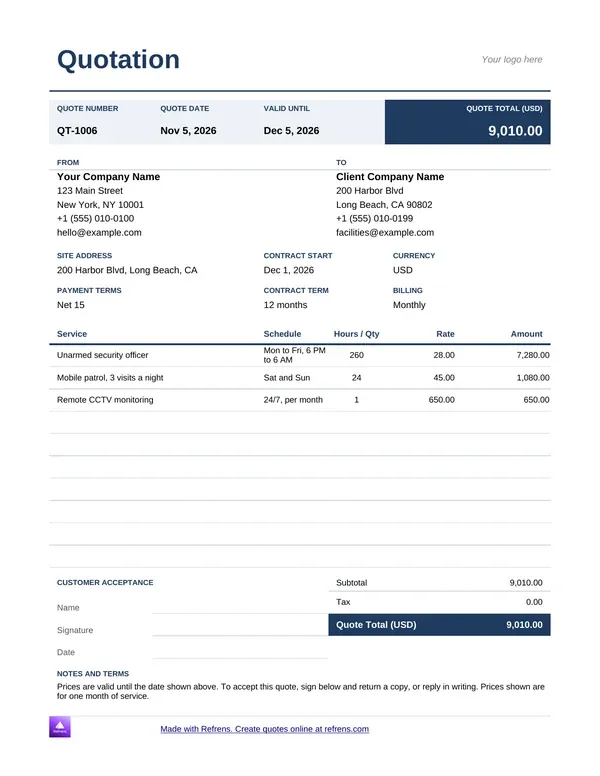
Security Quote Template - Word
Security Quotation Template Word
Product Quotation Template - Word
Product Quotation Template Word

Quotation Templates Excel

Download Quotation Templates in Excel Format
Sample Quote Template - Excel
sample quote template excel
Simple Quote Template - Excel
Business Price Quote Template - Excel
Business Price Quote Template Excel
Service Quote Template - Excel
Service Quote Template Excel
Product Quotation Template - Excel
Product Quotation Template Excel
Construction Quote Template - Excel
Construction Quote Template Excel
Price Quote Template - Excel
Price Quote Template Excel
Excel Quote Template
Excel Quotation Template
Freelance Quote Template - Excel
Freelance Quote Template Excel
Contractor Quote Template - Excel
Contractor Quotation Templae in Excel

Free Quote Templates in Word and Excel

How to download a quotation template in Word or Excel

Pick a template in the gallery above and click it. The file downloads at once. You need no signup, no email and no payment. You can download as many templates as you like.

  1. Choose the format. Pick Word for a quote with scope notes and terms. Pick Excel for a quote with many items.
  2. Choose the profession. Open the template that matches your work, such as freelance, service, construction or contractor.
  3. Edit the file. Replace the sample text with your details, your client's details and your items. Check the totals.
  4. Save and send. Save the file, then send it by email or print it.

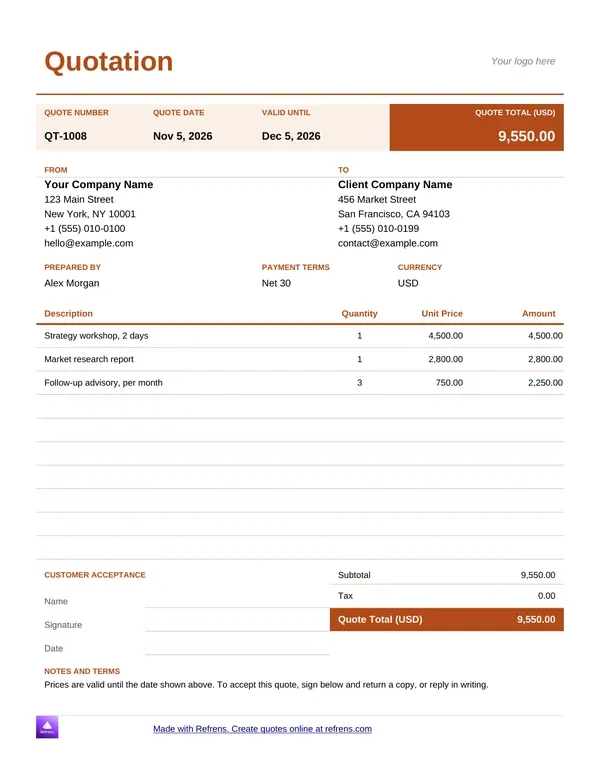
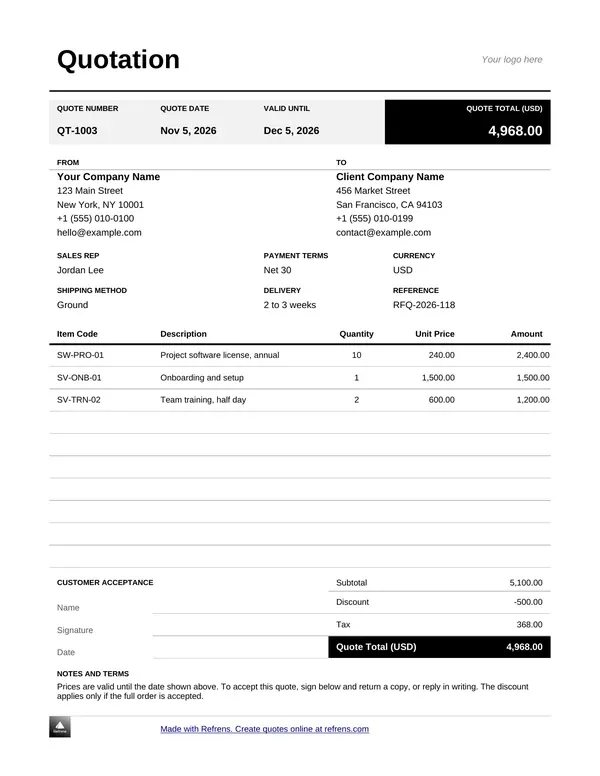
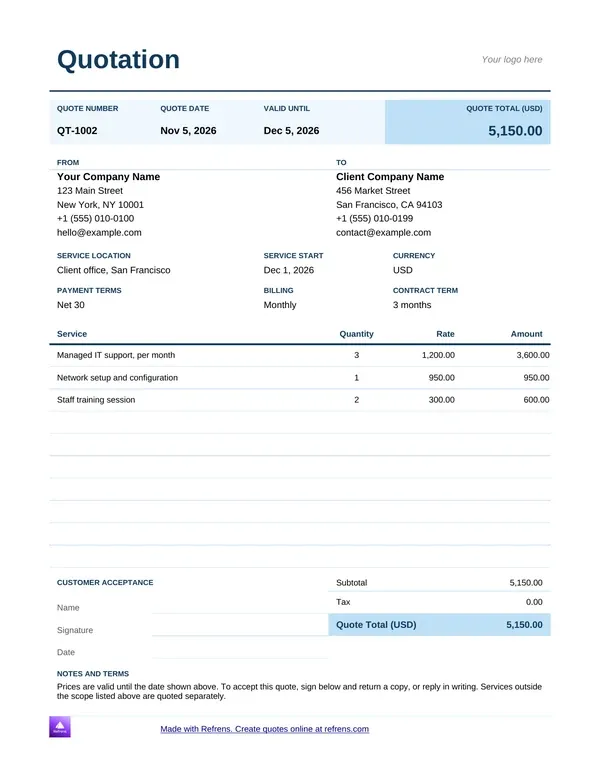
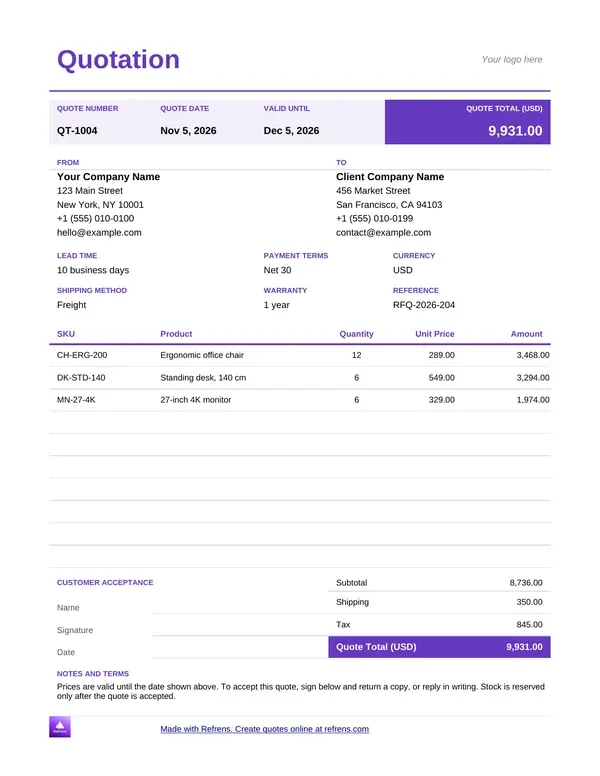
Each file is close to what the Refrens quotation form produces. It has a quote number, dates, your details, your client's details, items with quantity and rate, totals, and room for terms and notes.

Refrens quotation templates in Word and Excel download free with no signup, and you can download unlimited templates.

Quotation template Word or Excel: which should you use?

A quotation template in Word reads like a document. A quotation template in Excel works like a table. Both include totals. Choose by the shape of your quote.

  • Best for. Quotation template Word: Short quotes with scope notes and terms. Quotation template Excel: Quotes with many line items.
  • Layout. Quotation template Word: Text first, like a letter. Quotation template Excel: Rows and columns.
  • Long item lists. Quotation template Word: Fine for a handful of lines. Quotation template Excel: Easier to scan and extend.
  • Totals. Quotation template Word: Included. Quotation template Excel: Included.
  • Access. Quotation template Word: Free, no signup. Quotation template Excel: Free, no signup.

General guidance. These are common habits, not rules.

Try a simple test. If your quote runs past ten items, use an Excel quote template. If it needs a page of scope and terms, use a Word quote template. A tidy price list favors Excel. A project proposal favors Word.

Quote templates in Word and Excel carry Refrens branding. Fill in your own business and client details in either format.

Quotation templates by profession

Refrens offers 9 Word templates and 10 Excel templates. Find your work in the table, then open the file.

  • Freelancers. Word: Freelance Quote Template. Excel: Freelance Quote Template.
  • Service businesses. Word: Service Quotation Template. Excel: Service Quote Template.
  • Sales. Word: Sales Quote Template. Excel: Word only.
  • Products. Word: Product Quotation Template. Excel: Product Quotation Template.
  • Price quotes. Word: Price Quote Template. Excel: Price Quote Template, Business Price Quote Template.
  • General business. Word: Business Quote Template. Excel: Excel Quote Template.
  • Construction. Word: Construction Quote Template. Excel: Construction Quote Template.
  • Contractors. Word: Word not available. Excel: Contractor Quote Template.
  • Security services. Word: Security Quote Template. Excel: Word only.
  • Sample and simple. Word: Sample Quote Template. Excel: Sample Quote Template, Simple Quote Template.

Quotation for freelancers

A freelancer sells time and results. List each deliverable with a price, or list hours with a rate. State the number of revisions and the payment terms. Use the Freelance template in Word or Excel.

Quotation for service businesses and marketing agencies

An agency or consultancy sells scope. Break the quote into deliverables, such as a campaign plan, a month of content and a monthly report. A retainer quote shows the number of months. Use the Service template. IT consultants and design studios follow the same pattern.

Quote for contractors and construction

A contractor prices materials and labor. Put each on its own line so the client sees what each costs. Add the site, the schedule and what the price excludes. Keep the validity short, because material prices move. Use the Construction template in Word or Excel, or the Contractor template in Excel.

Quotation for sales and product businesses

A wholesaler, trader or distributor sells units. List each product with quantity and unit rate, then add delivery and any discount. A buyer compares unit rates across suppliers, so a clean table matters. Use the Product, Sales or Price template.

Quotation for security services

A security quote prices time. List the posts, the shifts, the hours and the contract period. State the rate per shift or per month. Use the Security template in Word.

What every quotation needs

A quotation works when the client can say yes without asking you anything. Check that your file has these fields:

  • Your business name, logo and contact details
  • Your client's name and address
  • A unique quote number
  • The quote date and the validity date
  • Each item with quantity and rate
  • Subtotal, discounts, tax and the total, with the currency
  • Payment terms and the delivery timeline
  • Terms, notes and exclusions

A quote template in Word or Excel should carry a validity date, such as 14 or 30 days from the quote date, so your price does not stay open indefinitely.

Tax rules and required fields differ by country. Check your local rules before you send your first quote.

Example: a marketing agency quotation

Illustrative example. We invented the business, the services and the rates.

A small marketing agency quotes a retail client. It uses the Service template in Excel and sets a 14-day validity.

  • Campaign strategy: Quantity 1, Rate (USD) 1,800.00, Amount (USD) 1,800.00

  • Social media posts: Quantity 12, Rate (USD) 85.00, Amount (USD) 1,020.00

  • Monthly report: Quantity 3, Rate (USD) 150.00, Amount (USD) 450.00

  • Subtotal: 1,800.00 + 1,020.00 + 450.00 = 3,270.00 USD

  • Discount at 5%: 3,270.00 × 0.05 = 163.50 USD, so 3,106.50 USD after discount

  • Tax at 8%: 3,106.50 × 0.08 = 248.52 USD

  • Total: 3,106.50 + 248.52 = 3,355.02 USD

In this illustrative example, a marketing agency quotation of 3,270.00 USD before discount comes to 3,355.02 USD after a 5% discount and 8% tax.

The client replies on day nine, inside the validity window, so the price holds. The agency sends three more quotes that week, and each needs fresh typing. That is where a file starts to cost time.

Digital marketing quotation: sample, format and template

A digital marketing quotation prices your work and keeps the client's ad budget on a separate line. Use this digital marketing quotation format with the Service template in Word or Excel. It also works as a digital marketing agency quotation template for SEO, paid ads and ad creatives.

Illustrative example. We invented the agency, the services and the rates.

  • Monthly retainer, paid media and reporting: Quantity 1, Rate (USD) 2,500.00, Amount (USD) 2,500.00

  • Ad creatives, static designs, 2 revision rounds: Quantity 6, Rate (USD) 120.00, Amount (USD) 720.00

  • Landing page design: Quantity 1, Rate (USD) 600.00, Amount (USD) 600.00

  • Management fee, 10% of ad budget: Quantity 1, Rate (USD) 400.00, Amount (USD) 400.00

  • Fees: 2,500.00 + 720.00 + 600.00 + 400.00 = 4,220.00 USD

  • Ad budget, billed at cost, capped at 4,000.00 USD

  • Estimated total: 4,220.00 + 4,000.00 = 8,220.00 USD

Four lines make this quotation for digital marketing easy to approve:

  • The budget cap. The client sees the most they can owe on ad spend.
  • The fee on its own line. The client sees what you earn on the spend.
  • The revision rounds. The price covers two rounds, and extra rounds cost more.
  • The validity date. Ad costs and your calendar both change.

When the client accepts, the same lines move onto the invoice, and the ad spend appears at cost.

Mistakes that cost you the job

  • No quote number. Two quotes with one reference confuse both sides. Number every quote, including revised ones.
  • No validity date. The client accepts a price you can no longer offer. Always enter a date.
  • Vague scope. A single line called "Services" invites a dispute. Name each deliverable.
  • Hidden extras. Delivery or setup fees that appear only on the invoice cost you trust. Show them as separate lines.
  • Missing terms. Without payment terms you have no agreed due date. State the deposit and the due dates.
  • Mixed-up versions. You edit a file, save it twice and send the old one. Rename each version and tell the client which quote replaces the last.

When a file stops being enough

A Word or Excel file suits a few quotes a month. It does not tell you when the client opens it, keep your clients in one list or turn into an invoice. You manage the versions yourself.

When you quote every week, move to quotation software. Send each quote from one place and see what happens next. When the client accepts, bill from the same record with invoicing software, so you never retype the job.

You can also create a quotation online without a file. The free quotation generator builds one from a form.

Which document do you need?

Match the document to the decision your client has to make.

A quote offers a price before the work. An invoice asks for payment after it.

Free access: Word and Excel files and PDF

The two routes follow different access rules.

  • Word and Excel templates. What you get: An editable file. Account: None. Limit: Unlimited downloads.
  • Online quotation form. What you get: A PDF quotation. Account: Free account. Limit: 15 documents a year across all document types.

Word and Excel files carry Refrens branding. Free documents from the online form carry a small Refrens branding too.

Download your quotation template in Word or Excel

Scroll up, pick the quotation template that fits your work and download it in Word or Excel. Want a PDF instead? Fill in the form on this page and download it with a free account. More than 150K businesses across 170+ countries send quotations and invoices with Refrens.

Frequently asked questions

Where can I download a free quotation template in Word?

Pick a Word template in the gallery on this page and click it. The file downloads at once, with no signup. Refrens offers 9 Word quotation templates, including freelance, service, sales, product, construction and security.

Is the quotation template Excel file free, and do I need to sign up?

Yes, the Excel files are free, and you need no signup. Click a template and it downloads. Refrens offers 10 Excel quote templates, and you can download as many as you like. The files carry Refrens branding.

Should I use a quotation template in Word or Excel?

Use Excel when your quote has many line items. Use Word when your quote needs a page of scope and terms. Both include totals. A quote past ten items usually reads better in Excel.

How do I make a quotation in Word?

Download a Word quotation template, then replace the sample text. Add your business details, your client's details, the items with quantity and rate, and the total. Add a quote number, a validity date and your terms, then save and send the file.

What is the difference between a quote template and a quotation template?

There is no practical difference. Both describe a document that offers a price before the work. People search for both terms, so Refrens names its files quote templates and quotation templates.

Which template suits contractors and marketing agencies?

Contractors can use the Construction template in Word or Excel, or the Contractor template in Excel. Marketing agencies can use the Service template in Word or Excel, because an agency sells scope by deliverable.

Can I get my quotation as a PDF?

Yes. Fill in the quotation form on this page and download the PDF with a free account. The free plan covers 15 documents a year across all document types, and free documents carry a small Refrens branding.

About Refrens. Refrens is invoicing and quotation software for small businesses, freelancers and service businesses. Create invoices, send quotations and collect payments in one place.


Made with and in Bengaluru.

Refrens Internet Pvt. Ltd. | All Rights Reserved
This site is protected by reCAPTCHA and the Google Privacy Policy and Terms of Service apply.
Refrens ISO Certificate
